
Getting started
What is Grongy?
Grongy is an academic research and writing assistant. While you work on a thesis or a paper, you find your sources, read their PDFs, write your text and check it before you submit, all in one place.
What you can do
Section titled “What you can do”- You type your topic, and Grongy finds real papers in academic indexes such as OpenAlex, Crossref, DOAJ and arXiv. For Turkish searches it also checks TR Dizin.
- You open a PDF in Grongy and ask the paper questions. The answer comes from the paper’s own text, with page numbers.
- The Synthesis matrix lines your sources up side by side by method, sample, finding and limitation.
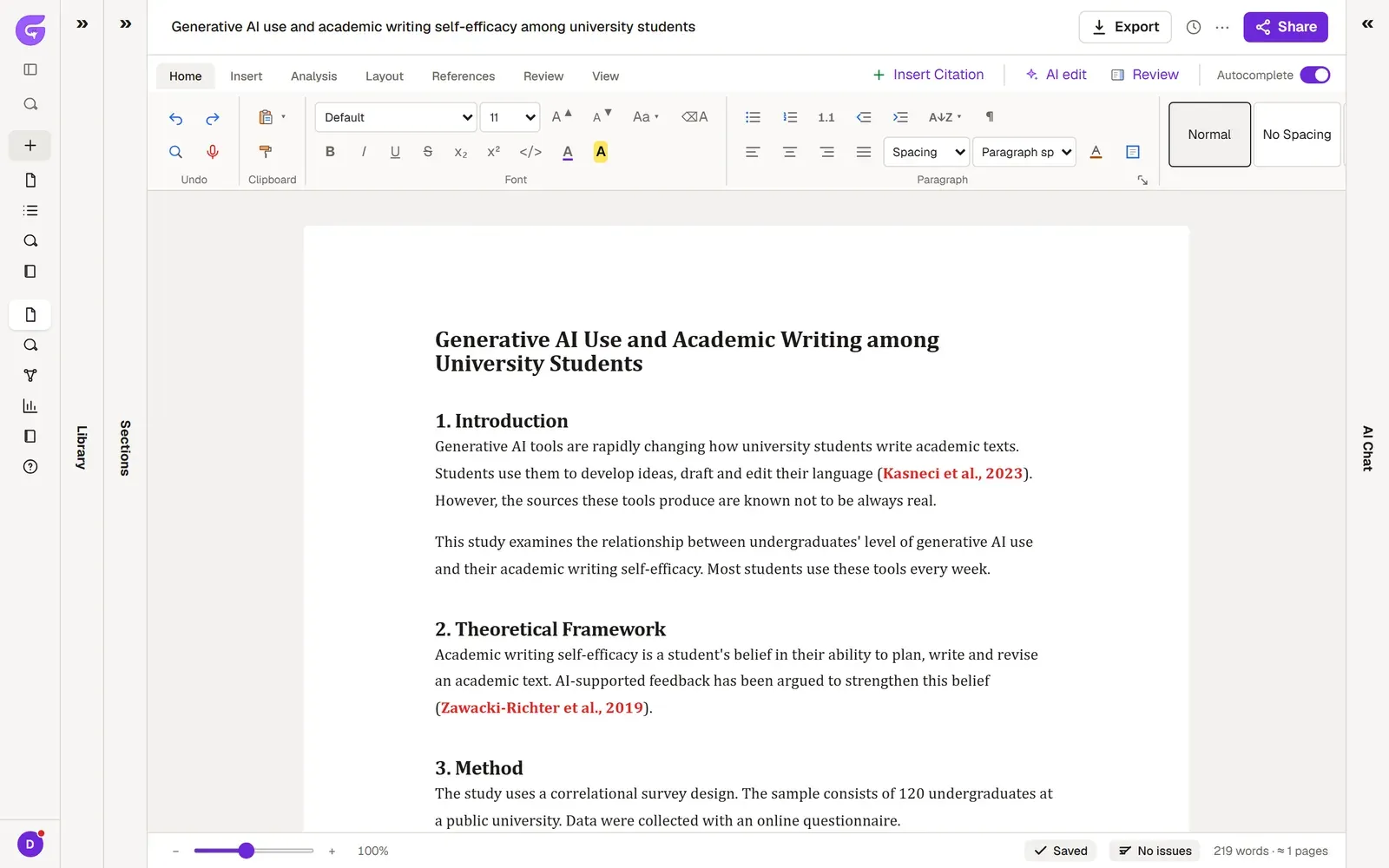
- You write in an editor with a ribbon of tabs; it imports your Word file and exports a .docx when you are done. When a section has you stuck, you can ask for a cited paragraph or a single suggested sentence.
- Before you submit, you get your text checked. Academic review reads it the way an examiner would, while Document health and Submission readiness list what’s missing instantly.
- If your study is empirical, you turn your CSV or Excel data into APA tables, report sentences and charts.
Key concepts
Section titled “Key concepts”These words come up throughout the guide:
- Document: the thesis, paper or report you’re writing. It comes with its own library, memory, chats and data.
- Project: a folder that keeps your documents together. Documents don’t share sources; each one keeps its own library.
- Library and My Library: a document’s Library holds the sources that document can cite. My Library is your account’s general archive; when you add a paper from it to a document, a copy goes into that document. Library and My Library explains the difference.
- Full text: when a paper’s PDF or text is in Grongy, its card says Full text. You need it to ask the paper questions and to cite it with page numbers; without it, Grongy reads only the abstract.
- AI Chat and Chat: AI Chat sits beside the document and answers from that document’s sources. The Chat page you open with New → Chat belongs to your account and is for questions that don’t concern a document.
- Memory: the knowledge map Grongy keeps about your document. It holds the sections, terms, sources, gaps and your own notes, and it updates as you write.
- Usage allowance: writing, editing, reviews, chat: all AI work draws on the same allowance. It renews over a 5-hour session and weekly. You see how much you’ve used in Settings → Usage, and how the plans differ on Plans and billing.
- Device first: your work lives on this device first. Once you sign in, your documents and library are backed up to your account. Your PDFs are too, except on the Free plan, which keeps up to 20 of your own PDFs (10 MB and 150 pages each, 50 MB in total). Privacy explains what is stored where.
If you run into a term you don’t know, look it up in the Glossary.
What Grongy doesn’t do
Section titled “What Grongy doesn’t do”It doesn’t make up sources. Every source it cites is a real publication that sits in your library, and the ones it adds while writing are marked AI-added, next to the ones you found and added yourself. If it can’t find a source that supports a claim, it leaves the sentence without a citation.
It doesn’t write your thesis for you either. You decide which section and which paragraph to ask for help with. Text written by AI arrives marked and stays that way until you review and accept it.