

Research · Reading and comparing
Citation map
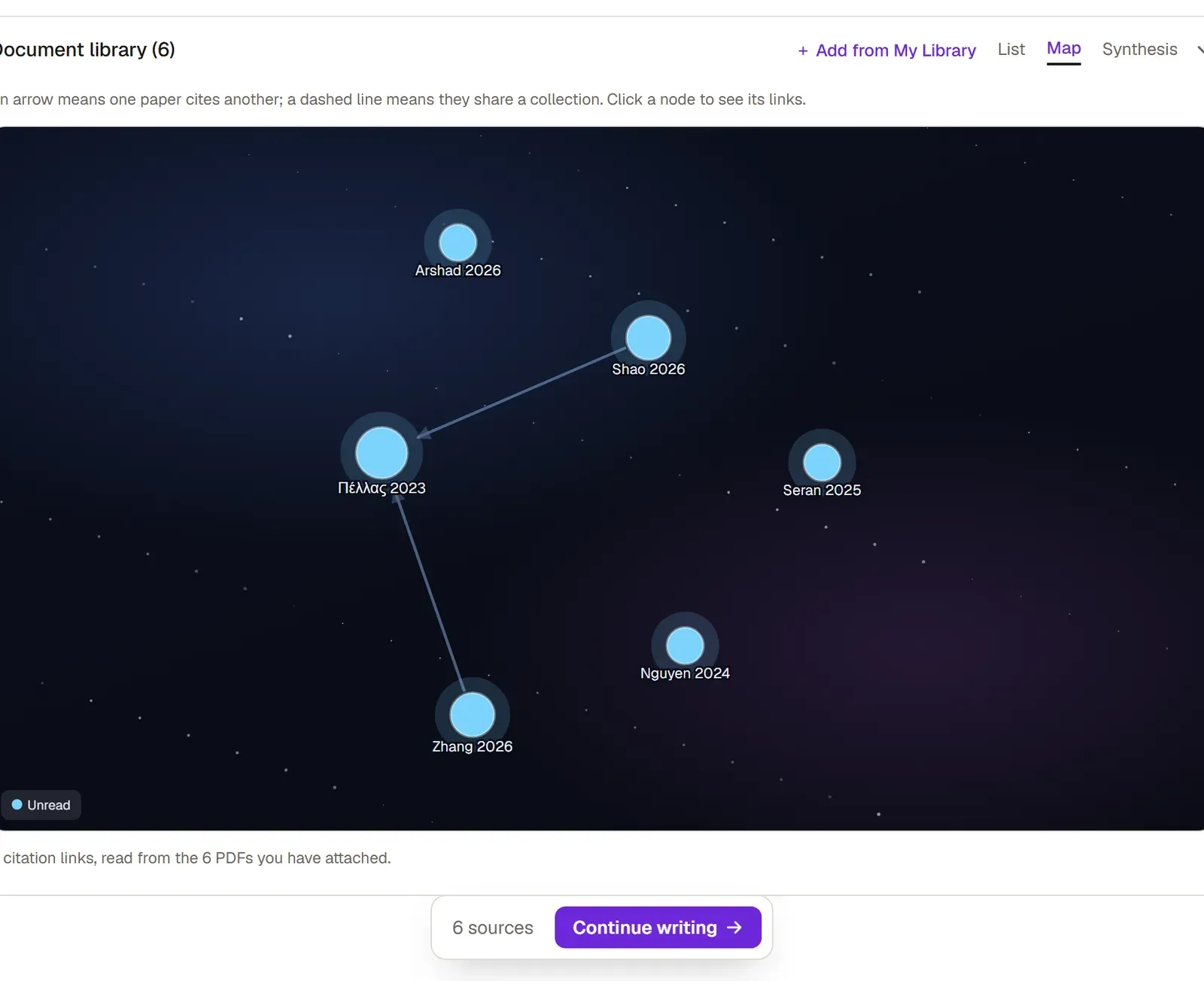
The Map view shows you which work sits at the center of your library and which one stands alone. It draws the papers in the document’s library as dots and the citations between them as arrows.
Where the links come from
Section titled “Where the links come from”Grongy reads the links from the reference lists in the papers’ own PDFs. That is why the map only knows about citations between papers whose PDF you have added. Behind every arrow is an entry that really appears in a paper’s printed reference list.
Reading the map
Section titled “Reading the map”- In your document, open the Research tab.
- Of the List, Map and Synthesis tabs in the library header, click Map.
- Read the map: an arrow means one paper cites the other. A dashed line means two papers are in the same collection.
- To look at a paper more closely, click its dot. Below the map you see its title, authors, PDF status and tags, along with the papers in your library that cite it and the ones it cites.
- To clear the selection, click the same dot again.
Colors
Section titled “Colors”A dot’s color shows the paper’s reading status: read, reading or unread. Sources you came across inside another paper but have no text for are labeled Secondary and get a color of their own. Collections have their own dots too. The map’s legend lists only the colors on the map at that moment.
When you change a reading status in the Library panel, the map updates its colors.
Links show in the list too
Section titled “Links show in the list too”You don’t have to open the map to see citation links:
- In the List view, a line under the source says something like “Cited by 3 of your sources” or “Cites 2 of them”.
- In Find papers results, the card of a paper that sources in your library cite carries a similar line. It helps you spot a work that is often cited in your field.
Frequently asked questions
Section titled “Frequently asked questions”Why do some of my papers have no links? Either they have no PDF, or there are no citations between them and the other papers in your library. The map doesn’t show citations outside your library.
How many links did the map find? The line below the map tells you how many citation links it found and how many PDFs they were read from.