

Review · Kinds of review
Document health
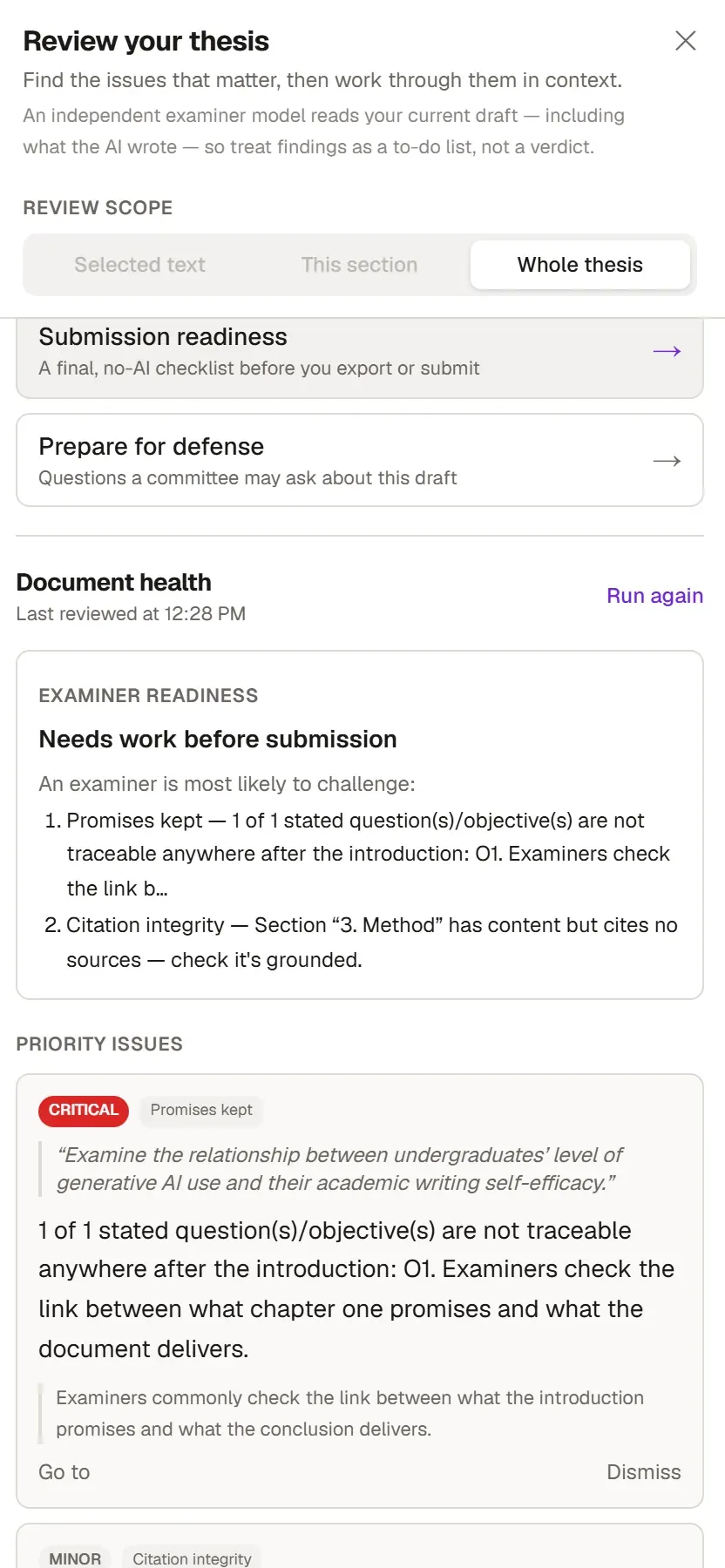
Document health scans your text against a set of rules and gives you the result instantly. It does not use AI, so it does not count against your usage allowance either.
When to run it
Section titled “When to run it”- Often while you write, so small errors do not pile up.
- After you add sources to a section, to see whether the citations match the sources in your library.
- Before you run Academic review, to get the easy problems out of the way.
Running it
Section titled “Running it”- Switch to the Review tab on the ribbon.
- In the Document group, click Document health. The same option is in the Review your thesis panel. The number beside it is the count of findings, recalculated every time the panel opens.
- The panel lists the findings. Jump to the sentence with Go to and fix it.
The check always looks at the whole document.
What it checks
Section titled “What it checks”Citations and sources
Section titled “Citations and sources”- Citations such as “Author (2019)” in your text that have no match in your library. These do not appear in the reference list.
- Citations that give a source under its second author’s name, or under an organization’s name instead of the author’s. You can usually put in the correct form with Apply.
- Works that are not in your library but are named inside a source that is. Grongy suggests citing them as secondary sources.
- Claims that still carry a
[needs source]marker. - Sections with content that cite no source at all. This check skips the abstract and the conclusion. If your library is empty, Grongy says so in a single finding.
- Sources saved in your library that you never cite in the text.
- Empirical claims that do not say which study they come from, such as “This finding shows that…”.
Language and structure
Section titled “Language and structure”- Abbreviations you use but never spell out. Grongy suggests writing out the full form where each first appears.
- Sentences longer than 45 words.
- The same phrase repeated often in a long text. Phrases in headings and in the document title do not count.
- The text mentions a table, such as an “evidence matrix” or a “comparison table”, but the document has no table.
- Whether the document answers the questions you asked and the aims you set in the introduction (What you promised).
- Whether the introduction, conclusion and abstract take the expected steps (Section structure).
Frequently asked questions
Section titled “Frequently asked questions”Are journal names in my reference list flagged as abbreviations? No. The abbreviation and citation checks look only at the text you wrote, not at the reference list.
No findings came up. Is my thesis ready? No. It only shows that your text does not trip these rules. Before you submit, also run the Submission readiness list and check your institution’s rules yourself.