

Walkthroughs
Improving an existing thesis
You can bring a thesis you’ve already written into Grongy, get it reviewed, find its missing sources and improve the text, without rewriting it from the start.
-
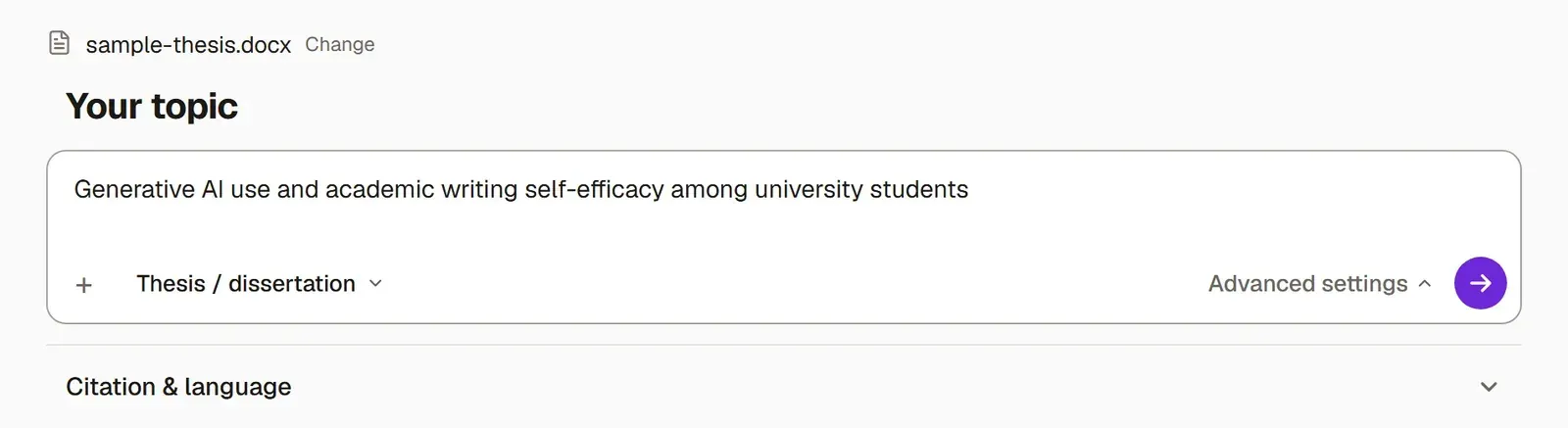
Upload your file. In New → Write, choose its type, press My text is finished or I have a draft, and add your .docx file. Grongy moves the papers in your bibliography into your library. Bring in your existing thesis covers every screen.
-
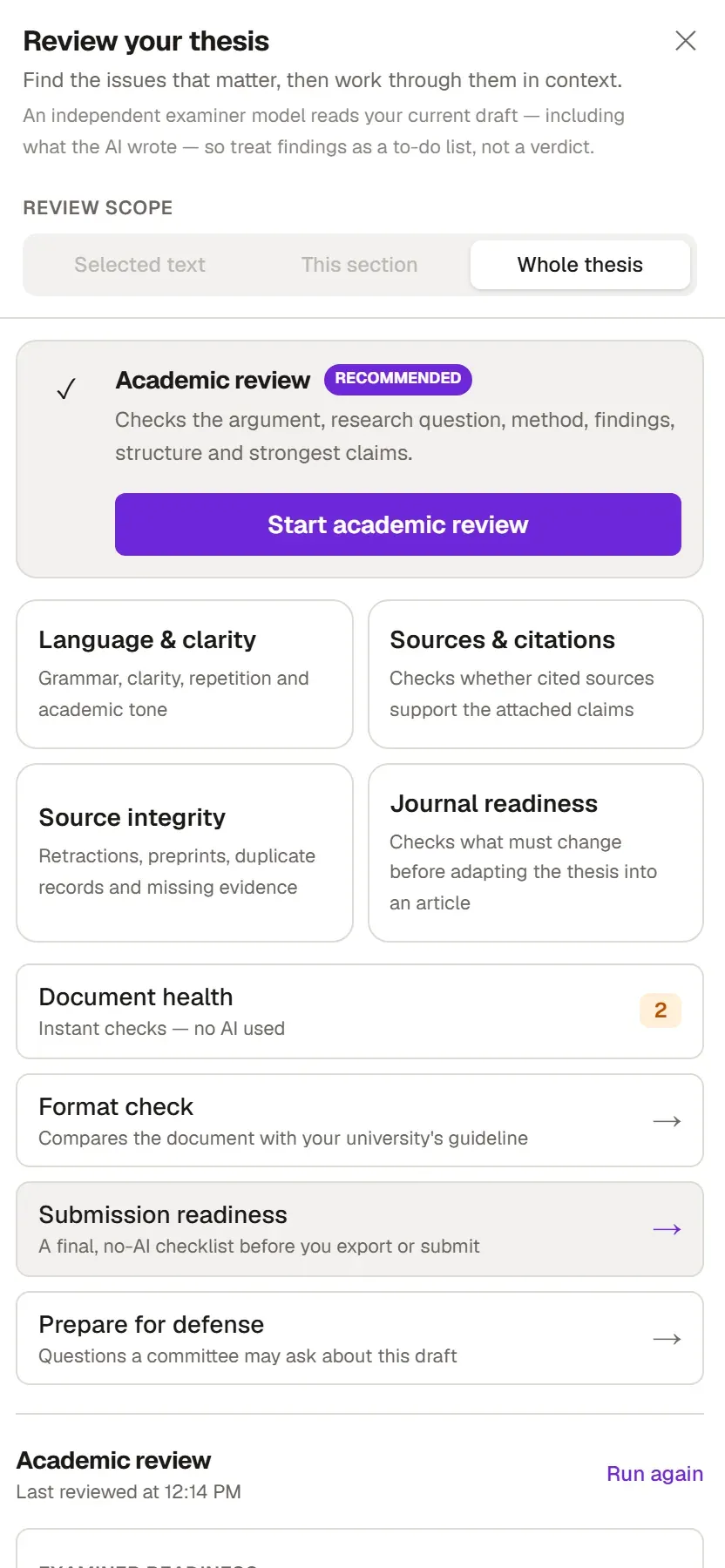
On the last screen, choose Check and improve it and press Open Review. Your document opens with the Review your thesis panel already open.
-
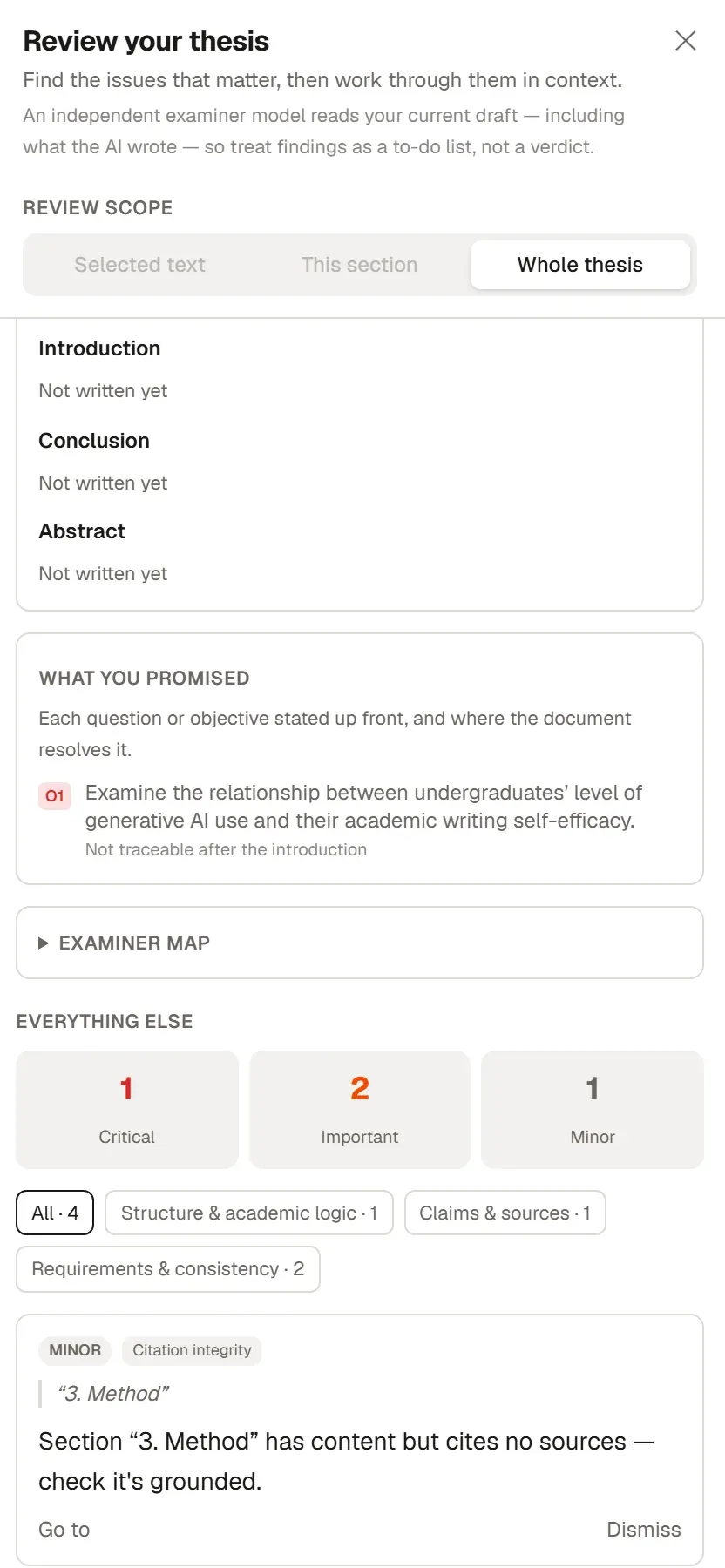
Start with Document health. It doesn’t use AI, so you get the results instantly: citations with no match in the library, sections without sources, and promises you make in the introduction but don’t keep later. All the checks are listed on Document health.
-
Then run Academic review. It reads your argument, method and claims, and each finding comes with the sentence it refers to.
-
To look for missing sources, use the Find evidence and Literature gaps buttons on the ribbon’s Review tab. Add any source you find to your library from Research. Citation check explains how the two tools work.

-
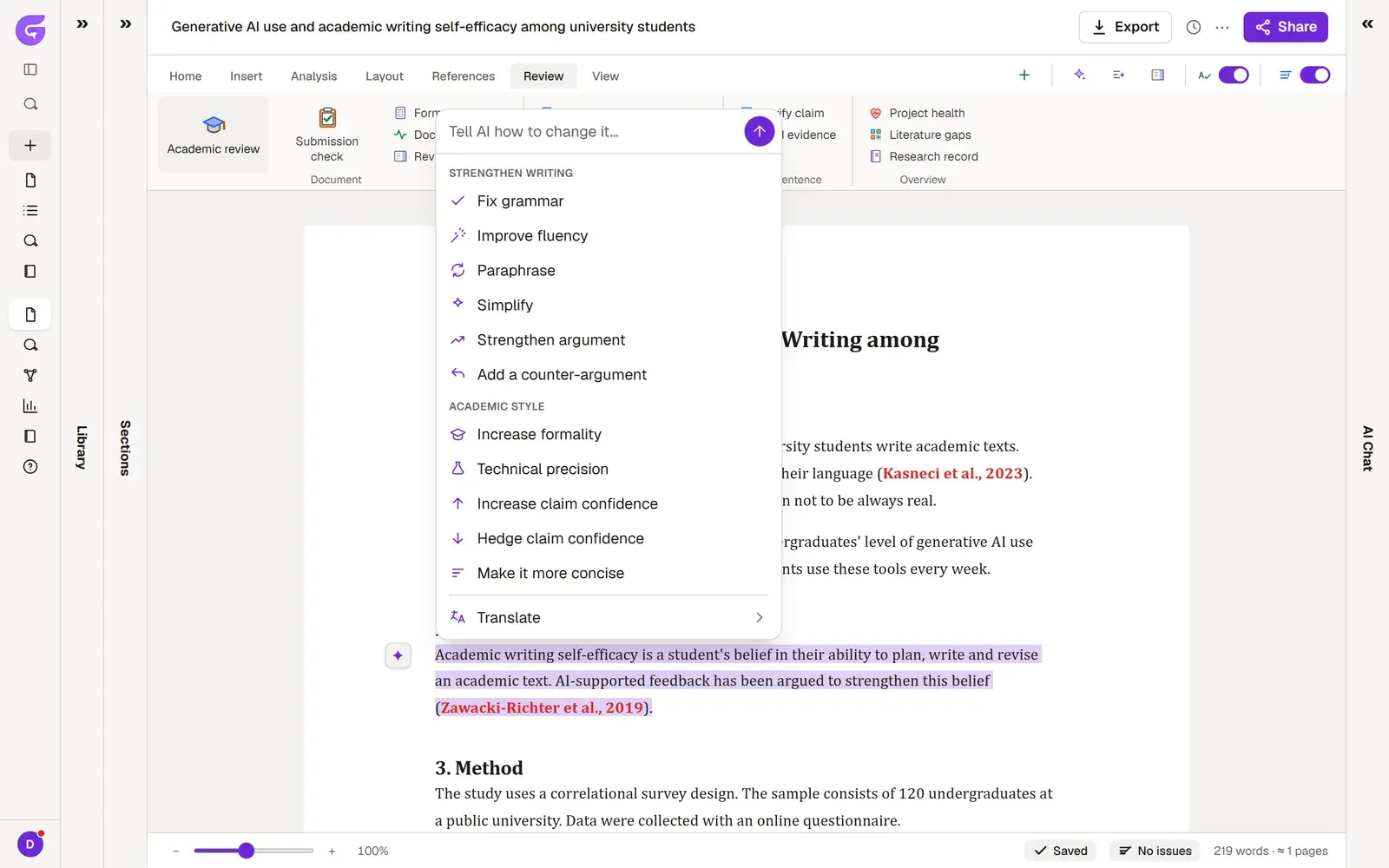
To improve the text, select a passage and press the ✦ button. The menu offers options such as Strengthen argument, Make it more concise and Hedge claim confidence; you’ll find all of them on Editing with AI.
-
Finally, before you submit, run Submission readiness. This list doesn’t use AI. If it comes back clean, take your file with Export. Submission readiness explains what the list looks at.