

Account
Language settings
Your interface can be in one language and your thesis in another. Grongy has two language settings, and they’re independent of each other:
| App language | Writing language | |
|---|---|---|
| What it changes | Buttons, menus and alerts | The text Grongy writes in your document: section headings, paragraphs, edits |
| Options | Türkçe, English, Deutsch, Español, Français | 30 languages |
| Where you change it | The account menu, or Settings → General | Separately in each document |
Change the app language
Section titled “Change the app language”- Click your name at the very bottom of the left menu.
- In the menu that opens, click Language and pick a language from the list.
The same setting is also under Settings → General → App language. Grongy remembers the language you chose in this browser.
Choose the writing language
Section titled “Choose the writing language”You choose the writing language when you create the document.
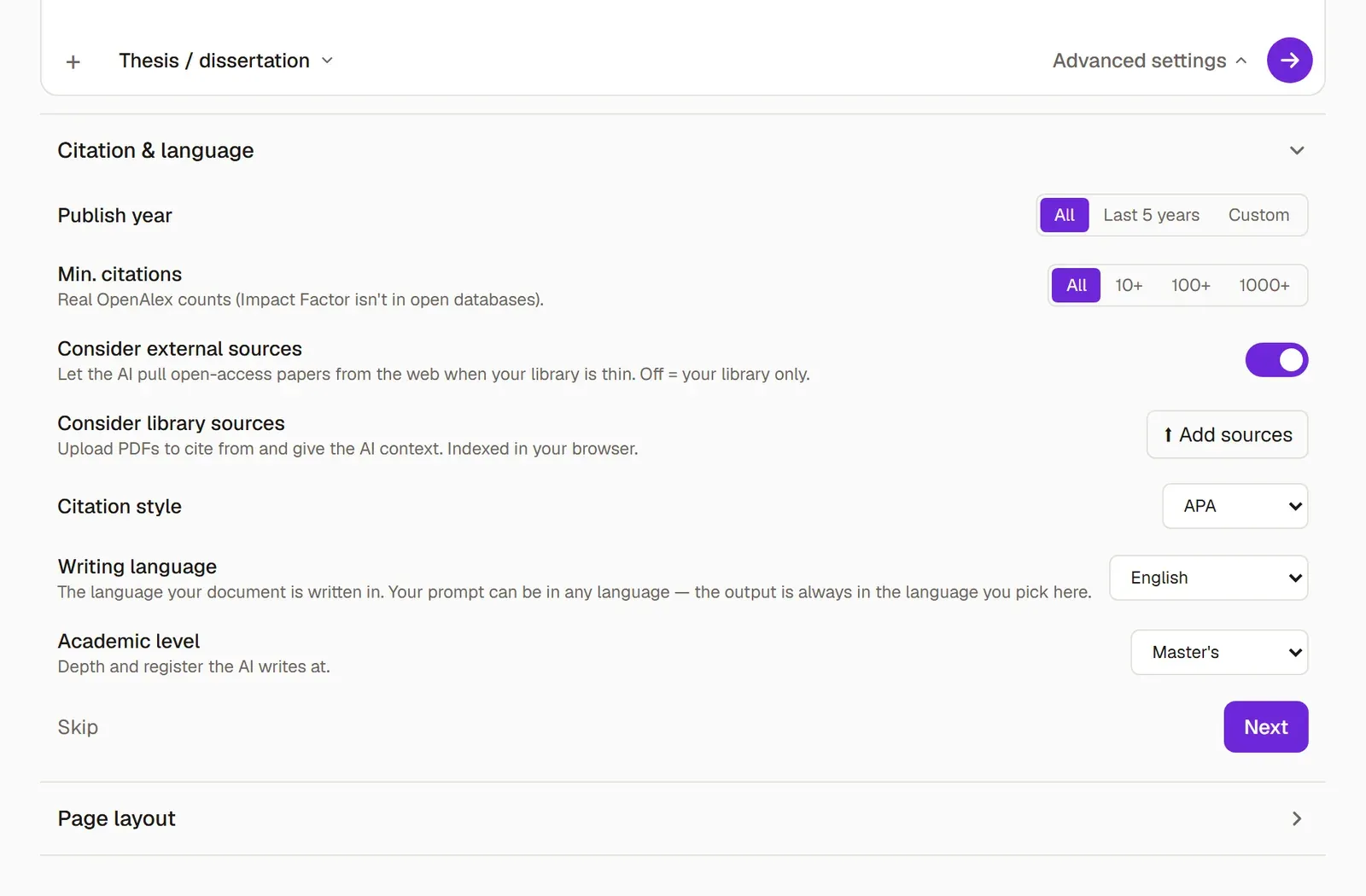
- In the new-document wizard, open Advanced settings at the Your topic step.
- Under Citation & language, set the Writing language. If you’re writing in English, choose English.
- Finish the wizard.
Change it later
Section titled “Change it later”In an open document, go to the References tab of the editor ribbon and pick the new language from the Writing language list. From then on Grongy writes in the new language; it doesn’t translate the text that’s already written.
To change the default language for new documents, go to Settings → Writing defaults → Writing language.
Frequently asked questions
Section titled “Frequently asked questions”Can I find sources with a topic written in Turkish? Yes. When you write your topic in Turkish, Grongy translates it and expands it for the English-language indexes, and for Turkish searches it also checks TR Dizin. Find papers explains how search works.
Which language is the AI-use disclosure written in? The disclosure has its own Statement language setting: Türkçe, English, Español, Français and Deutsch. It starts out set to the document’s writing language, or to English if that language isn’t one of these five. The details are on AI-use disclosure.